Nursing
A breastfeeding tracker that remembers which side
At 3am nobody remembers which side was last. TallyTot’s nursing timer tracks left and right separately, switches with one tap, keeps running when you lock your phone, and shows “last side: Left” on the home screen — on both parents’ phones.
Start free →Free · no ads · both parents
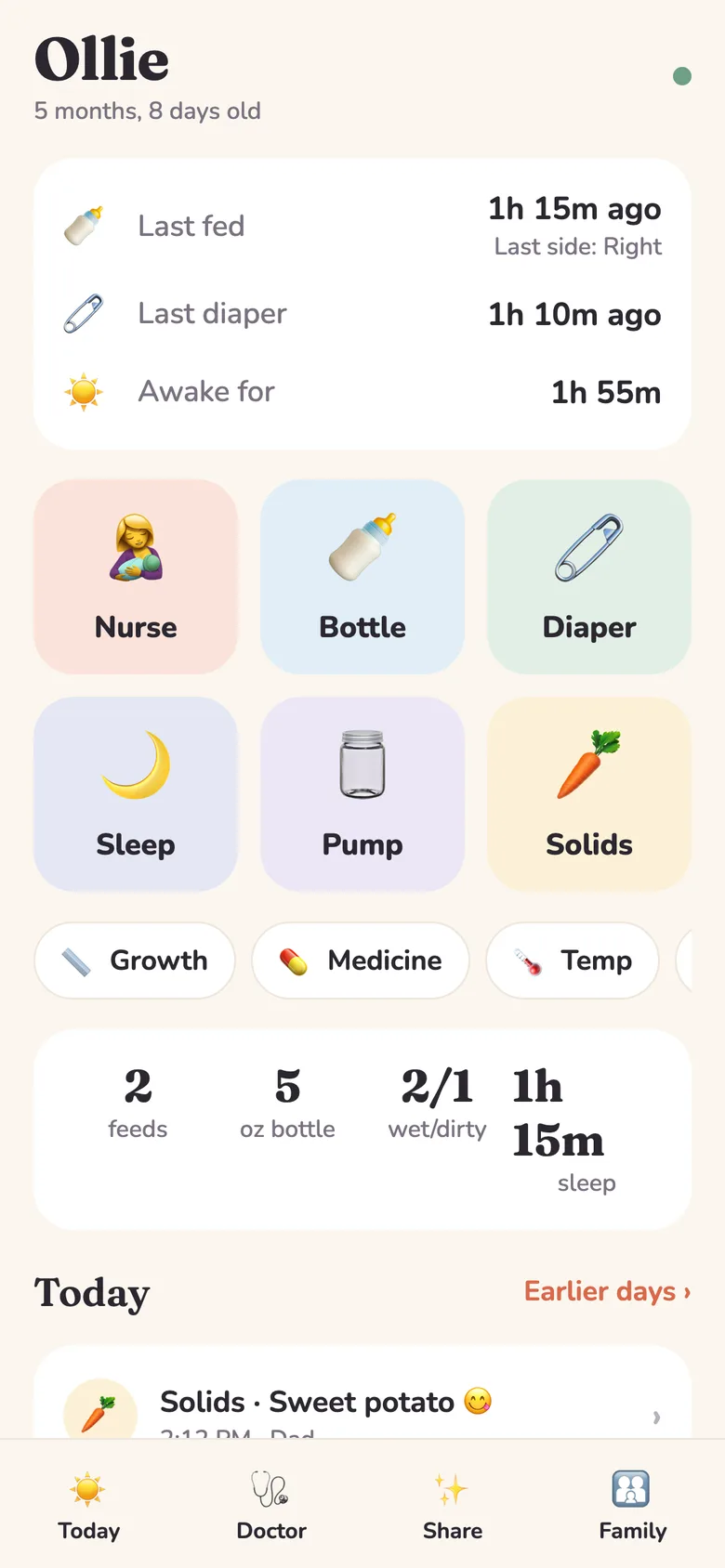
Left/right timer
Tap Left or Right to start; tap the other side to switch; tap again to pause. Minutes per side are saved automatically.
Never lose a timer
The start time is saved, so the timer survives closing the app — and shows up on your partner’s phone too.
Log a feed that already happened
Forgot to start the timer? Enter minutes per side and the start time after the fact.
For the doctor
Feeds per day and average nursing minutes per side since your last visit, in a one-tap PDF.
Mixed feeding welcome
Log pumped-milk bottles, formula and pumping sessions alongside nursing.
How it works
- Open TallyTot and tap Nurse.
- Tap Start Left or Start Right.
- Tap the other side to switch, then Done when baby is finished.
Questions
How do I track which breast I fed on last?
Start the timer on a side in TallyTot; the home screen then shows “Last side: Left/Right” until the next feed.
How many times a day should a newborn breastfeed?
Most newborns nurse 8–12 or more times in 24 hours in the early weeks (AAP). Your pediatrician will look at diapers and weight gain too — TallyTot’s doctor summary shows both.
Can my partner see the feeds?
Yes — everything syncs to both phones, credited to whoever logged it.
Comparing apps? See the best baby tracker apps of 2026.
Start tracking free — tonight
No sign-up wall, no ads, free for both parents. Starting late? TallyTot fills in the early months from a few rough guesses.
Start free →Works in any browser today · iPhone & Android apps rolling out now